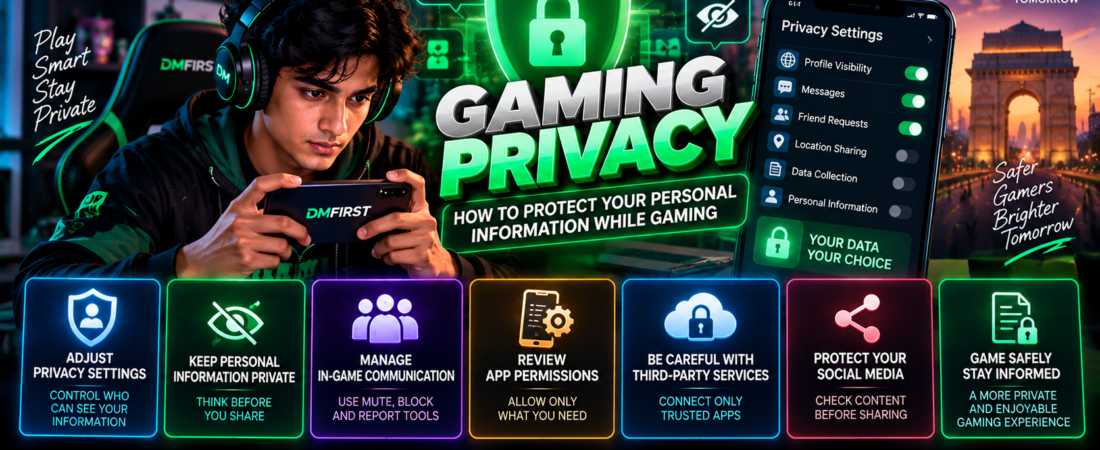
Gaming Privacy: How to Protect Your Personal Information While Gaming
Online games can connect players with friends, communities and people from different locations. These social features can make gaming more interactive, but they also make privacy awareness important.
Understanding gaming privacy can help players make better decisions about the information they share, the permissions they grant and the people they communicate with.
Players do not need to avoid online features completely. Instead, they can learn how privacy settings and careful information sharing contribute to a safer gaming experience.
Why Gaming Privacy Matters
Gaming accounts can contain usernames, profile information, friend lists, communication history and other account-related data.
Depending on the service, additional information may also be associated with an account.
Players should understand which information is public, which information remains private and which settings they can control.
Privacy and Security Are Different
Privacy and security are closely related but are not exactly the same.
Security focuses on protecting accounts and systems from unauthorized access. Privacy focuses more broadly on how information is collected, shared and made visible.
Our gaming account security guide explains account protection in greater detail.
Review Your Gaming Privacy Settings
Many games and gaming platforms provide privacy controls.
These settings may determine who can see a profile, send messages, invite a player to groups or view gaming activity.
Players should review these settings rather than relying entirely on defaults.
Decide Who Can Contact You
Some platforms allow users to restrict messages or invitations.
Depending on your preferences, communication may be limited to friends, approved contacts or other selected groups.
These controls can reduce unwanted interactions.
Be Careful With Personal Information
Players should think carefully before sharing personal information through games or gaming communities.
Information that seems harmless individually can sometimes reveal more when combined with other details.
Avoid unnecessarily sharing private contact information, passwords, verification codes or financial information.
Keep Login Information Private
Login credentials should never be posted publicly or sent to other players.
Authentication and recovery information should also be protected.
For additional account protection practices, read our gaming account security guide.
Choose Your Public Gaming Profile Carefully
A gaming profile can sometimes be visible to a large audience.
Consider what information actually needs to appear publicly.
A username does not necessarily need to reveal a player’s full legal name or other identifying information.
Review Profile Visibility
Some platforms allow users to control who can see achievements, activity, friends or other profile information.
Review these options and select settings appropriate for how you use the platform.
Understand In-Game Communication
Multiplayer games often include text chat, voice communication and other social features.
These systems can help players coordinate and build communities, but communication with strangers should still be approached carefully.
Our multiplayer gaming in India guide explains multiplayer gaming and online communities in more detail.
Use Mute, Block and Report Features
Players do not have to continue unwanted conversations.
When available, mute, block and reporting tools can help users manage interactions.
Learn where these controls are located before they are needed.
Review Application Permissions
Mobile games can request permission to use certain device features.
These might include notifications, microphones, cameras or other capabilities depending on the application.
Players should consider whether each permission is necessary for the features they use.
Permissions Can Usually Be Reviewed Later
Mobile operating systems generally provide settings where application permissions can be reviewed.
Players can periodically check these settings and remove permissions they no longer want to provide.
Our mobile gaming safety guide covers additional smartphone security practices.
Be Careful With Third-Party Services
Some games allow connections to other applications or services.
Before connecting an account, understand what permissions are being requested.
Avoid granting access simply because a website or application promises gaming rewards or additional features.
Gaming Privacy and Social Media
Players may share screenshots, achievements or gameplay clips through social platforms.
Before posting, check whether the content accidentally reveals private information.
Screenshots can sometimes contain usernames, notifications, account details or other information that was not intended for publication.
Think Before Sharing
Once information is publicly posted, controlling how other people copy or redistribute it can become difficult.
Review screenshots and recordings before uploading them.
Privacy When Streaming Games
Livestreaming introduces additional privacy considerations.
Streamers should check what appears on their screen before broadcasting.
Notifications, email addresses, private messages and other account information can sometimes appear unexpectedly.
Separate Public and Private Information
Creators may benefit from keeping public-facing gaming information separate from information intended to remain private.
This can make accidental disclosure less likely.
Privacy in Mobile Gaming
Smartphones contain many different applications and personal information.
Mobile players should therefore pay attention to app permissions, account settings and notifications.
Our mobile gaming safety guide provides more information about protecting mobile gaming experiences.
Gaming Privacy for Younger Players
Privacy awareness is particularly important when younger players use social gaming features.
Age-appropriate platform settings and supervision can help reduce unnecessary information sharing.
Players should use the safety and privacy controls provided by the relevant service.
Gaming Technology and Privacy
As gaming technology evolves, games can introduce new social, cloud and cross-platform features.
These technologies may create new ways for players to interact and share information.
Our gaming technology in India guide explores technologies shaping modern gaming experiences.
Online Gaming Safety and Privacy
Privacy is one part of broader online safety.
Players should combine appropriate privacy settings with strong account security, trusted downloads and caution around suspicious links.
Our online gaming safety in India guide covers these broader safety practices.
Responsible Gaming and Digital Awareness
Healthy gaming involves more than managing playing time.
Players should also understand the digital environments in which they participate.
Our responsible gaming in India guide discusses balanced gaming habits and responsible participation.
Gaming Privacy with DMFirst
DMFirst publishes informational resources about gaming privacy, security, mobile gaming, esports and online safety.
These guides are designed to help readers better understand modern gaming environments and the choices available to them.
Final Thoughts
Gaming privacy begins with understanding what information is visible and how online services are being used.
Reviewing privacy settings, limiting unnecessary personal information, checking application permissions and managing online communication can help players maintain greater control over their information.
Privacy settings and platform features can change, so players should review them periodically.
Frequently Asked Questions
What is gaming privacy?
Gaming privacy concerns how personal and account-related information is collected, shared, displayed and controlled while using games and gaming services.
Should I use my real name as my gaming username?
That depends on your preferences and the platform’s requirements. Players should consider how much identifying information they want to make publicly visible.
Should I review game permissions?
Yes. Reviewing application permissions can help users understand which device features an application can access.
Can other players see my gaming activity?
This depends on the platform and its privacy settings. Review profile visibility and activity-sharing controls.
How can I improve privacy while playing multiplayer games?
Review communication settings, limit unnecessary personal information and use mute, block or reporting features when appropriate.